

Use Conditions in an Automation Journey – Wabo.ai
Once you’ve set your Trigger, the next step in building a smart and responsive automation journey is adding Conditions. Conditions help filter contacts based on specific rules before continuing to the next step in the journey.
🧩 What Are Conditions?
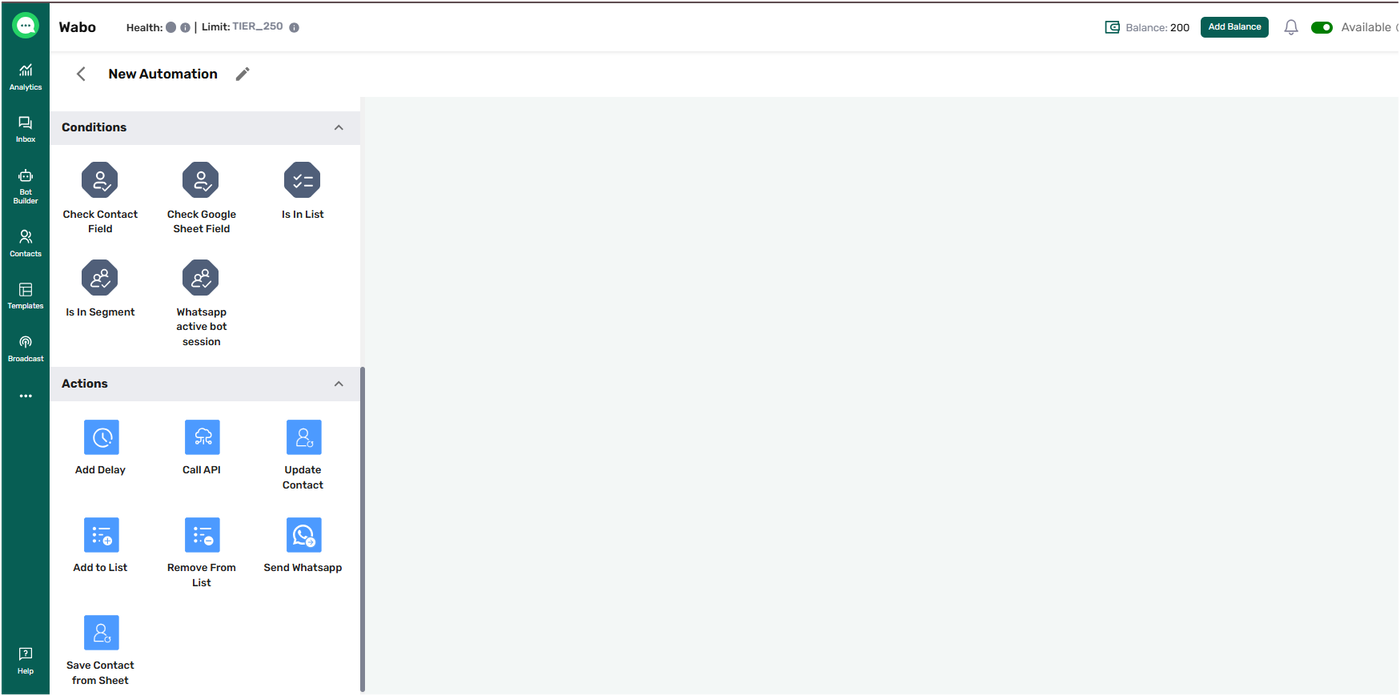
Conditions allow you to check specific criteria about a contact, such as their details, list membership, or segmentation, before taking the next action in your journey.
Think of them as checkpoints:
✅ If the contact meets the condition, the journey continues one way.
❌ If not, it can branch off or stop based on your setup.
🛠️ Types of Conditions in Wabo
1. Check Contact Field
This condition checks specific fields in the contact profile.
Example:
You want to send a follow-up only to those who have provided their mobile number.
📌 Condition: Mobile Number → is not empty.
You can also combine multiple conditions like:
Email → is not empty
City → is New York
Status → is “Lead”
These conditions can be grouped using AND/OR logic for precise control.
2. Is in the List
Checks if the contact belongs to a particular Marketing List.
Example:
You want to send a product brochure only to users in your "Demo Booked" list.
📌 Condition: Is in the list → Demo Booked List.
3. Is in a Segment
Checks if a contact is part of a Segment, which is often dynamically created based on behavior or profile data.
Example:
You want to offer a discount to contacts in your "Inactive Users" segment.
📌 Condition: Is in the segment → Inactive Users.
3. Check Google Sheet Field
What it does:
Checks if a selected Google Sheet column matches your defined condition.
Use Case:
Filter contacts based on Google Sheet data before continuing the automation.
Example:
Mobile Number is not empty → send WhatsApp messages only to valid contacts.
💡 Pro Tip:
Use AND/OR conditions to create precise filters.
⚠️ Important:
Only Google Sheet columns are available here
You must first set up the Google Sheet Trigger to use this condition
✅ Why Use Conditions?
Personalize the journey for different audiences
Avoid sending irrelevant messages
Create smart flows based on real-time data
📌 Final Tip:
Use conditions immediately after a trigger to segment your audience before taking action — like sending messages, assigning agents, or adding delays.