

Configure Bot Animation for WhatsApp Chatbot
Bot Animation helps make your WhatsApp chatbot widget more noticeable when it is deployed on a website. You can choose how the bot icon animates to attract user attention.
Steps to Configure Bot Animation
Log in to Wabo.ai.
Go to the Chatbot module from the left sidebar.
Open the chatbot that you have already created.
Click on the Configure tab at the top.
Under the Customize section, click on Bot Animation.
Choose the animation style you prefer:
Bounce – the bot icon gently bounces to draw attention.
Ripple – a ripple effect appears around the bot icon.
This animation will be visible when the chatbot is deployed on a website.
Click Save Changes to apply the selected animation.
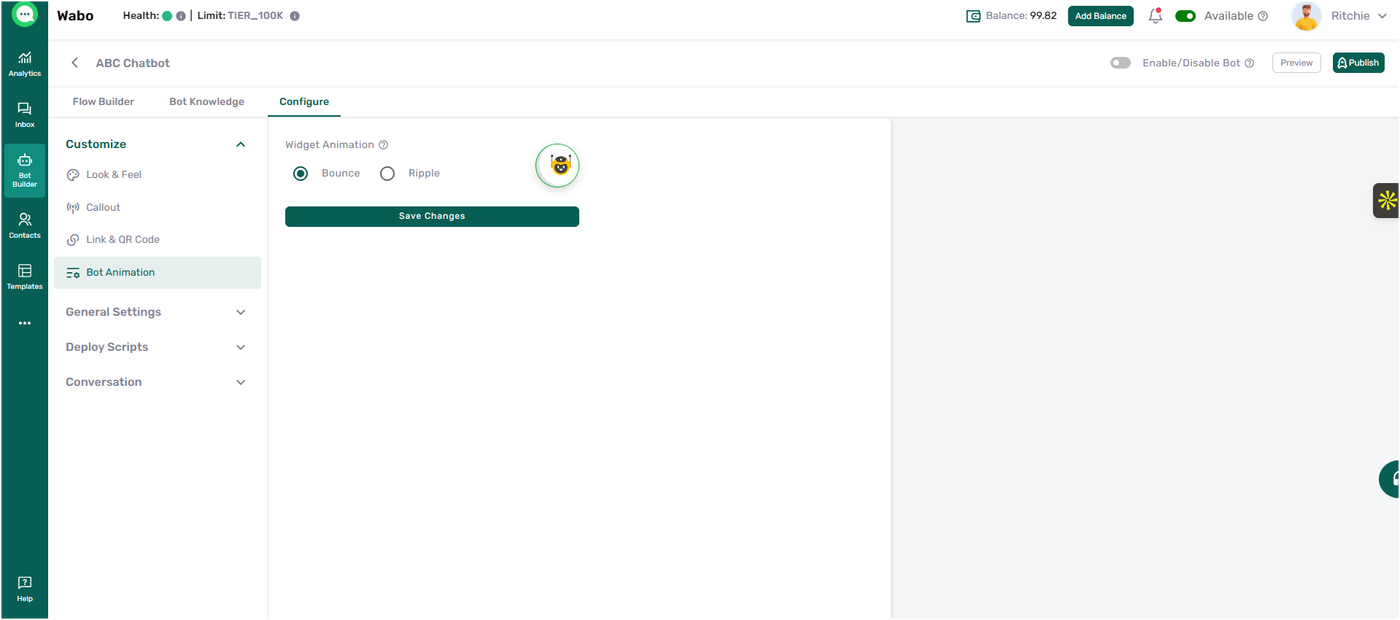
Once saved, the chosen animation will be reflected on the chatbot widget wherever it is deployed.